Case study · Indosat · Circle Kalisumapa · 2026
Portal Channel Operation: a region's sales ops in one place.
The daily workbench of the channel team. It replaced a pile of separate spreadsheets and one-off tools: partner lists, stock files, allocation and payment tracking, P&L workbooks, revenue rollups, letters and blasts. Teams upload their Excel, the server turns it into clean masters, and everyone sees the slice they're allowed to.
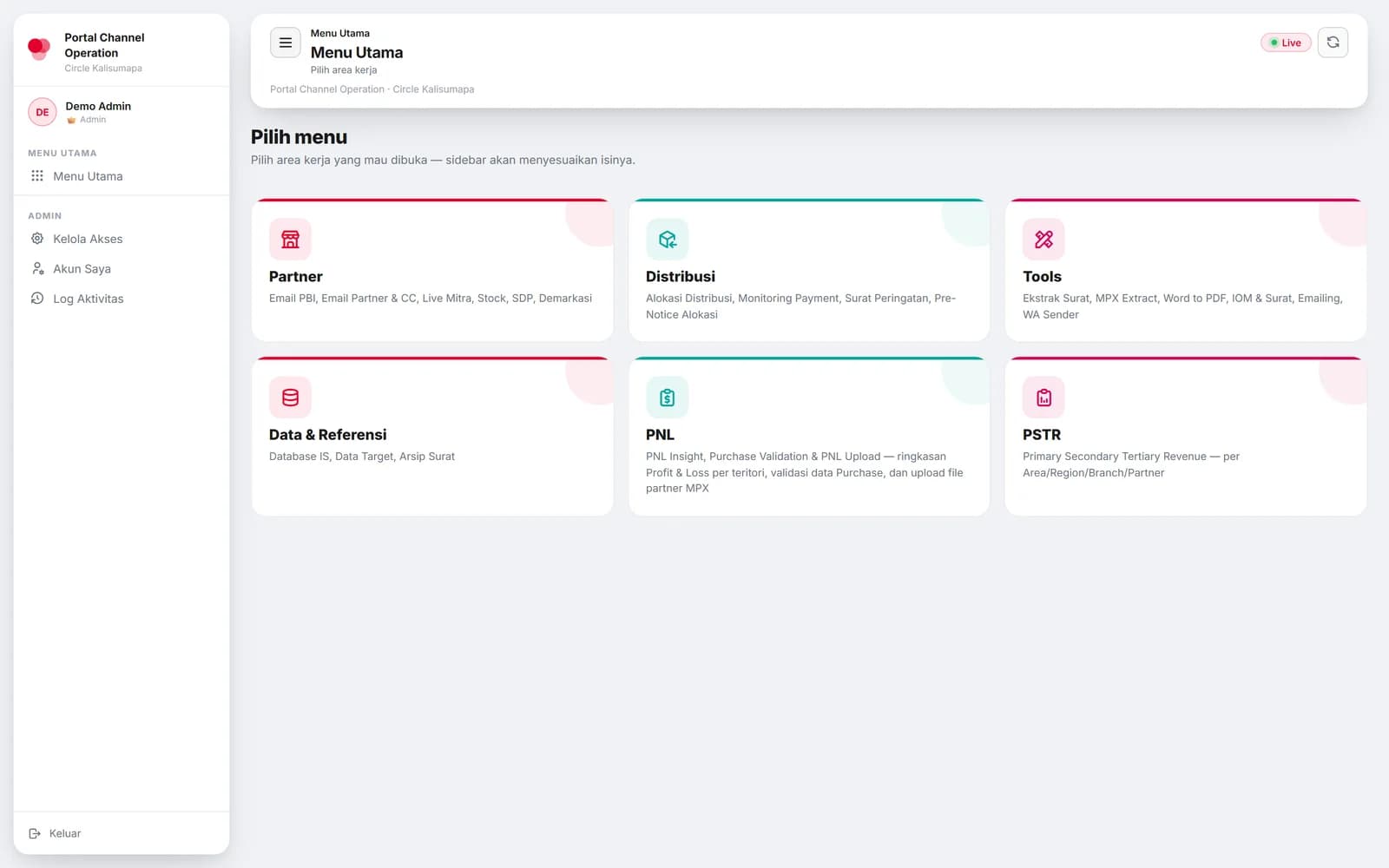
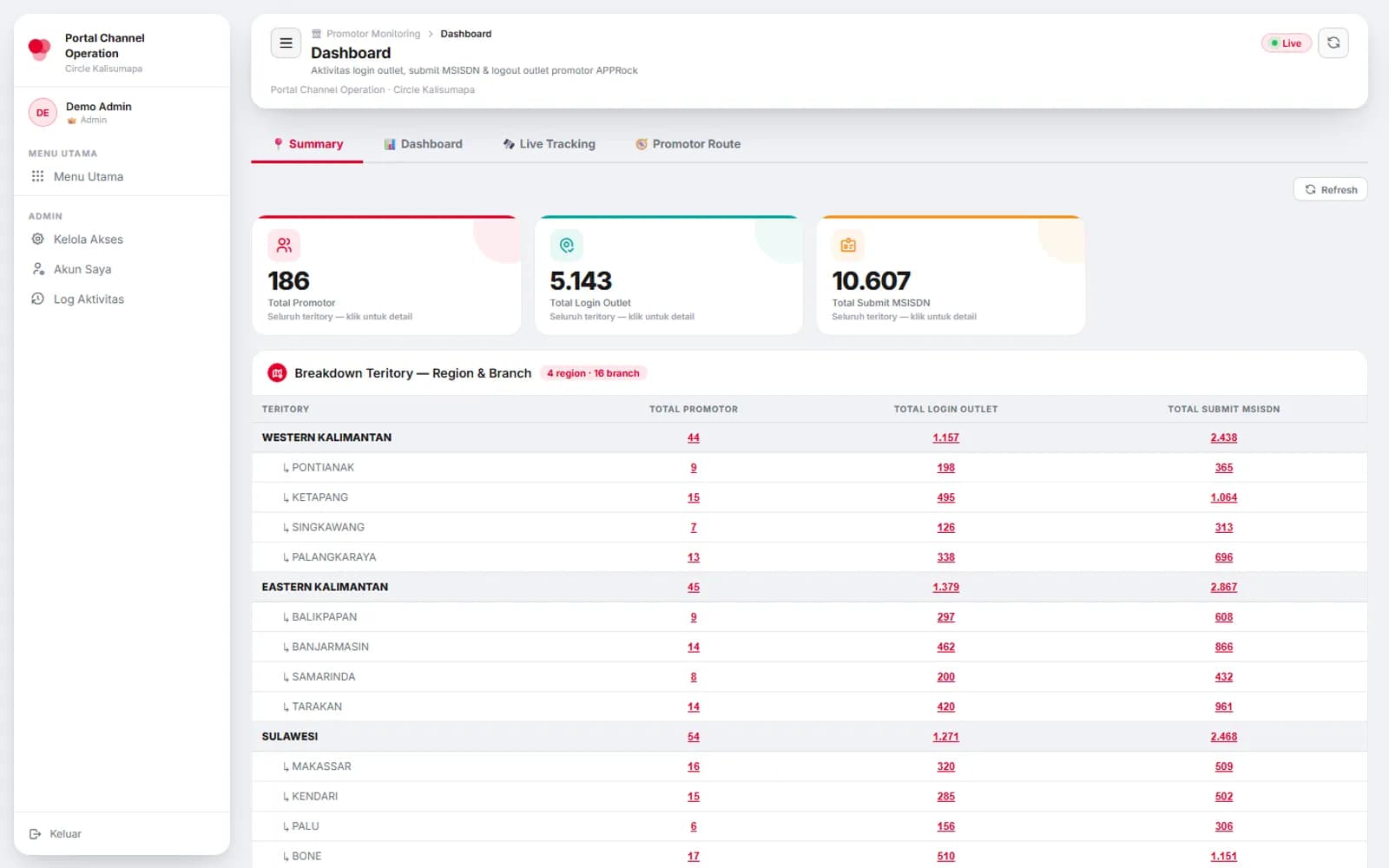
Screens: the real app running on made-up demo data. No real people, outlets or figures.
01 · A working day
One login, then only what you're allowed to touch.
- 1
Sign in
The password is checked against a bcrypt hash; the server sets an httpOnly cookie holding an 8-hour token with the person's role, access keys and territory.
- 2
The app arrives after login
The public page loads only a small boot script. The real app shell and its features are served only to a valid session, so nothing useful is exposed before login.
- 3
Pick a work area
Partner, Distribusi, Tools, Data & Referensi, PNL, PSTR. The sidebar shows only the pages this person has; with a single area, the menu is skipped.
- 4
Upload, and the master rebuilds
A partner's P&L workbook, a stock file, a revenue export: the server reads it, normalises it and rewrites that slice of the master CSV.
- 5
Read, export, notify
Dashboards compute their ratios on the fly, exports are built on the server, and reminders go out by email or WhatsApp.
02 · Try the access rule
Who sees which page, and which tab.
Access is stored as a short list of keys per person: a page, or a page and one of its tabs. Tick boxes and watch what this person would see, using the portal's own rule.
Role
Access, per page and per tab
Partner
Distribusi
Tools
Data & Referensi
PNL
PSTR
Saved in the user row
role=operator, akses=pnl,pnl.upload,demarkasi
What this person sees
2 of 6 areas on the main menu.
Data & Referensi
- Demarkasi · Territory, Resign
PNL
- P&L · Upload
Tick P&L without any of its tabs and both tabs open: a page with no tab keys means every tab.
03 · Under the hood
Spreadsheets in, a clean master out.
Cloud Storage as the database
Every dataset is a CSV on a bucket, read as bytes with a UTF-8 fallback so one stray character can't break a file, and cached for five minutes until the next write.
P&L that stays correct
Only top-level P&L rows are kept, and percentages are never stored: they're recomputed as metric ÷ net revenue after adding up months and partners, so they never go stale.
Purchase validation
P&L purchases are compared with payment data per partner and month: match = 1 − |a − b| / max, and 95% or more counts as valid. The distributor is found by fuzzy initials, with a confidence floor.
Exports that keep growing
The revenue rollup reads columns by position and accepts sheet-name aliases, because the source export gets wider every month.
Live promoter tracking
Reads the check-ins written by the PROTRACK app: a live map redrawn every 30 s, green for active, grey for checked out, red for fake GPS.
04 · Who sees what
Per page, per tab, per territory.
Checked twice: the browser hides what isn't allowed, and every API route refuses it anyway.
Viewer
Reads the pages in their access list. Every write is refused by the server, and write buttons are hidden.
Operator
Works in the pages and tabs granted to them: uploads, edits, exports.
Admin
Everything, plus managing accounts and access, the activity log and GA data.
Territory
Any account can also be pinned to a region, area, branch or MC; rows outside it are filtered out on the server, for every role.
05 · The small stuff
What keeps it safe with a whole team in it.
Login throttle
Five failed logins per five minutes per IP and username, counted in Firestore so every server instance shares the count.
Edits that don't collide
Account edits read, compare and write with retries; if another admin changed the file meanwhile, the save is refused instead of overwriting.
Security headers
Content policy, HSTS, no framing, nosniff and a strict referrer policy; the API docs are switched off.
Two bundles
The front end ships obfuscated in two parts; the feature bundle is served only after login and never cached, so a new deploy loads without a hard refresh.
Fast dashboards
The stock dashboard reads many daily files in parallel (up to 12 at once) and caches the result.
Activity log
Logins, failures with the reason, and page visits are logged; admins get a searchable view.
Runs offline too
A local mode swaps Cloud Storage and Firestore for folder and JSON stand-ins, so the same code runs on a laptop.
Satellite apps
Stock input (with a Telegram bot), a learning portal, a validation form, field-activity and timeline apps use the same data and API.
06 · How it fits together
One backend, one bucket, many doors.
Browser
Portal front end
Vanilla JS app: menus, tables, Chart.js charts, a Leaflet map, document tools.
Google Cloud Run
FastAPI backend
About 30 routers: auth, partner, distribution, P&L, PSTR, tools, validation, activity log.
Cloud Storage
CSV masters, users, uploads, logs
Firestore
login throttle, promoter check-ins
Around it
Email, WhatsApp, apps
SMTP for accounts and reminders, a WhatsApp sender service, LibreOffice for PDFs, the Telegram stock bot and the satellite apps.
07 · Tech stack
What each piece does.
FastAPI + Uvicorn
The API and the protected app shell.
pandas
Every upload is cleaned, merged and rolled up here.
Cloud Storage (gcsfs)
The CSV masters that act as the database.
Firestore
Shared login throttle and the promoter check-ins.
PyJWT + bcrypt
Sessions and password hashes.
openpyxl / pyxlsb
Reading Excel uploads, writing exports.
Vanilla JS, Chart.js, Leaflet
The front end, charts and the live map.
Docker on Cloud Run
Build (with obfuscation) and hosting.