Case study · Internal tool · 2026
InvenTory: every purchase with its receipt.
Field staff buy supplies for events and used to keep receipts in their pockets and recaps in spreadsheets. Now each receipt is logged with its items and a photo, an admin reviews it, and the totals add up on their own.
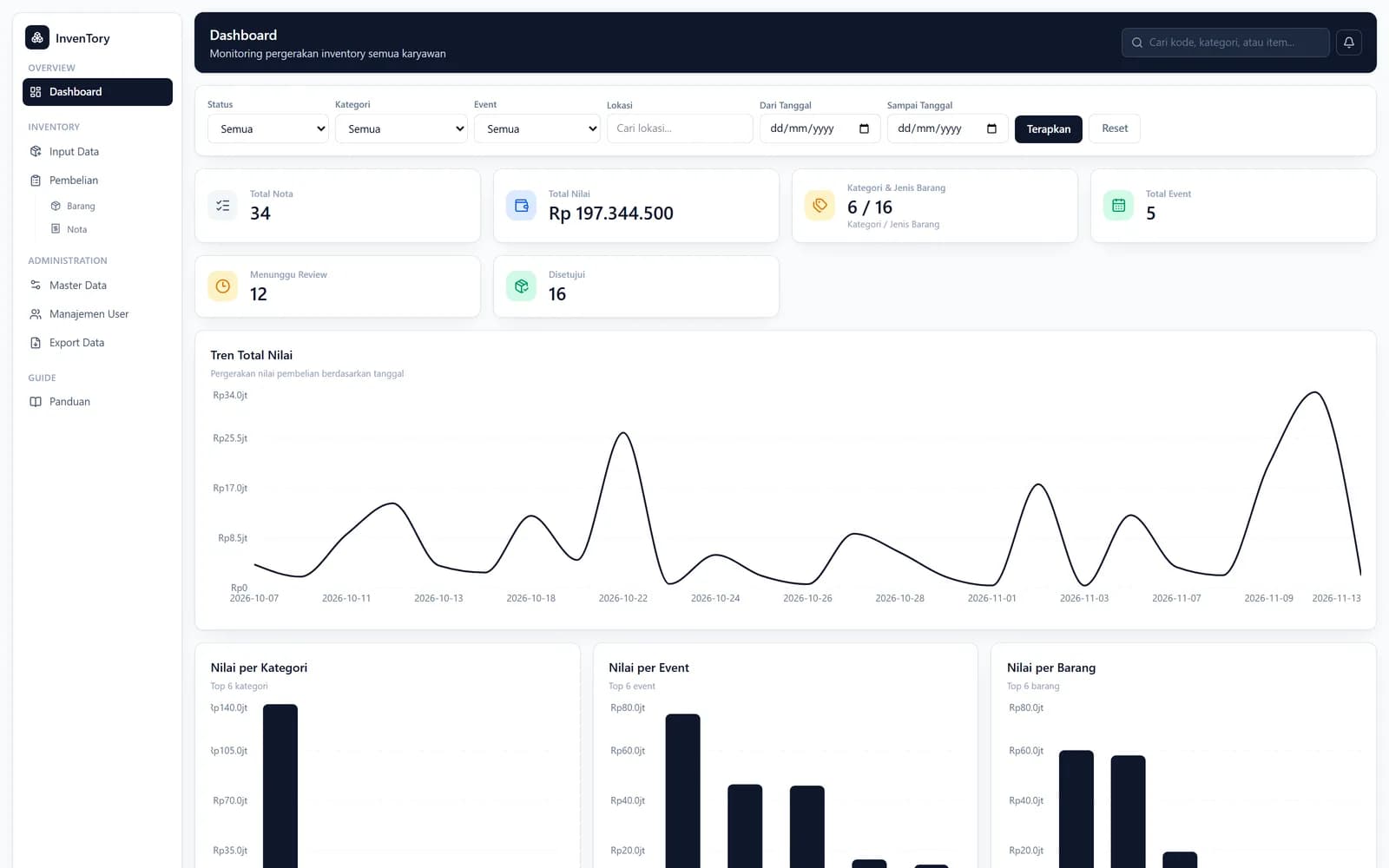
Screens: the real app running on made-up demo data. No real people, outlets or figures.
01 · A purchase
From a receipt to the totals.
- 1
Set the lists
The master admin sets categories and events (each with a code), units and regions.
- 2
Log the purchase
Event, date, location and vendor, the items, and a photo of the receipt, compressed on the phone.
- 3
The server files it
It validates everything again, decides the starting status, reserves the next number and uploads the photos.
- 4
Review
Status tabs and filters; approve, ask for a revision or reject, one by one or in bulk.
- 5
Read and export
Spend per category, event and item, a trend over time, and an Excel export.
02 · Try it
Log a purchase, then review it.
Pick who you are and what you bought. The note code and the starting status follow InvenTory's own rules; switch to an admin to review.
Signed in as
Next note code
RSK-KSM-15112026-012
starts as pending
Submit a purchase. Change the event and the sequence follows that event; change the date or category and it keeps counting.
03 · Under the hood
A code that tells you what it is.
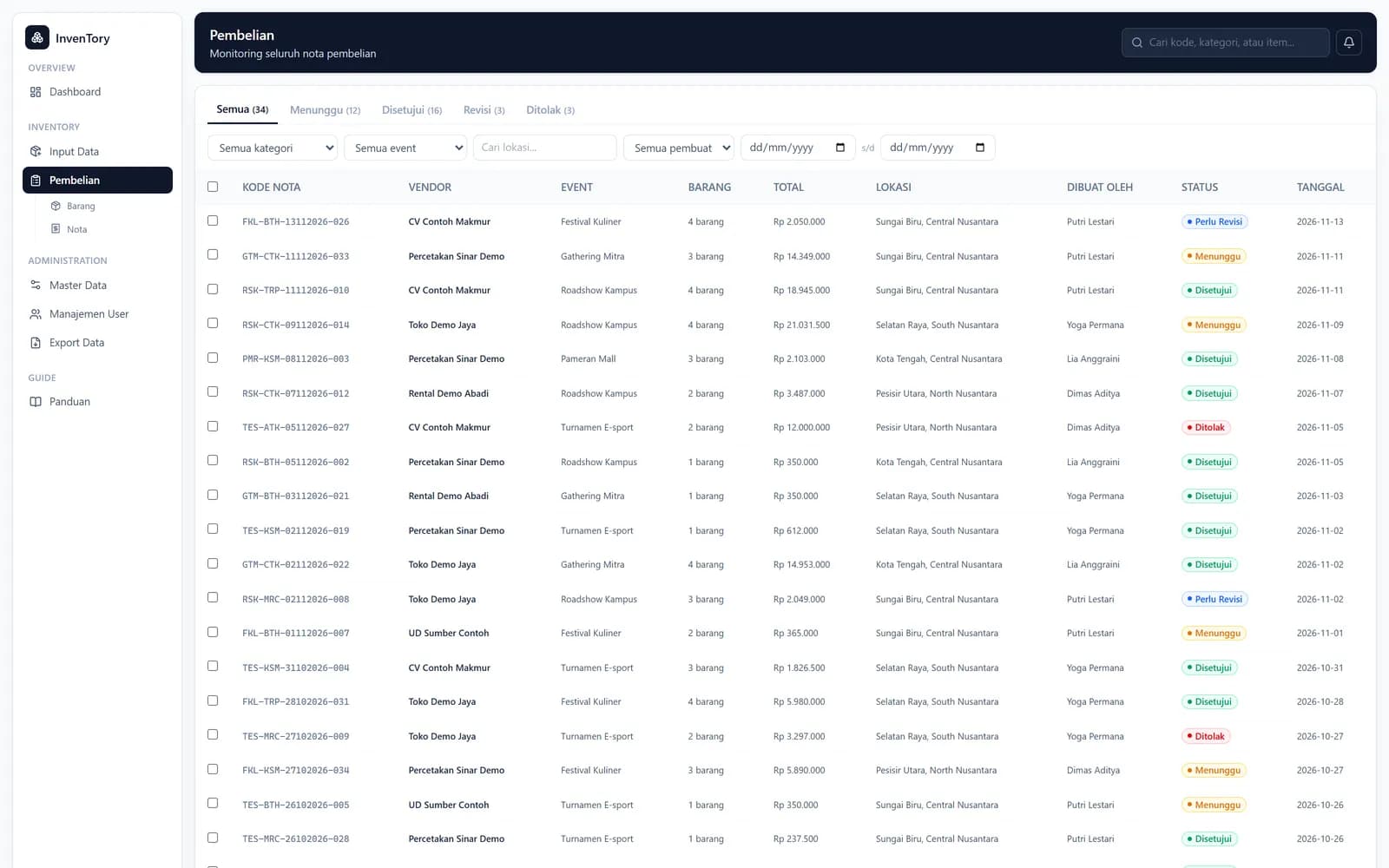
Note code
{event}-{category of the first item}-{DDMMYYYY}-{3-digit number}. The number counts per event code, reserved in a transaction so two submissions never share one.
Starting status
Staff purchases start pending; the master admin's are approved; an admin's are approved unless the setting “admin purchases need approval” is on.
Light photos
Resized to at most 1600 px and saved as JPEG on the phone, kept as is if that isn't smaller; the camera opens directly.
Bulk input
An Excel template, read in the browser and grouped by a note-group column; each group gets its own code.
Totals computed, not typed
Line totals and the receipt total are calculated on the server.
04 · Who sees what
Three roles.
Staff
Logs purchases and sees only their own; can delete one while it's still pending.
Admin
Reviews everything, works in bulk, exports.
Admin Master
All of that, plus users, the lists and the approval setting.
05 · The small stuff
The parts nobody sees.
Nothing written from the browser
Database and storage rules refuse all client writes; everything goes through the server.
Checked twice
Every field the form checks is checked again on the server, including the receipt photo.
Suspend works at once
Suspending a user disables their account, and their session is refused on the next request.
Indexes for the lists
Queries by person and by status are backed by indexes.
Builds without secrets
The storage client starts lazily, so the app builds with no credentials present.
Session
The phone signs in, then trades its ID token for a 14-day httpOnly session cookie.
Inactive items hidden
Retired categories and events disappear from the form but stay on old receipts.
Cleanup
Deleting a receipt removes its photos too.
06 · How it fits together
Server actions over Firebase.
Phone or laptop
Next.js screens
Purchase form with camera, bulk import, review table, charts, export.
Cloud Run
Server actions
Validation, status, note numbers, photo upload, review.
Firestore
receipts, lists, users, counters
Cloud Storage
receipt and item photos
Firebase Auth
Sign-in
Used on the phone only to sign in; the server takes over with a session cookie.
07 · Tech stack
What each piece does.
Next.js 16 + React 19
Screens and server actions.
firebase-admin
Sessions, Firestore and Storage from the server.
Firebase JS SDK
Sign-in on the device.
SheetJS
Bulk template, import and export.
Recharts
The dashboard charts.
Docker, Cloud Build, Cloud Run
Build and hosting.